Tuesday, 3 January 2012

Bypass / hack windows login password :


Login any computer which is using windows operating system without password.

Requirements:

1) KONBOOT
2) pendrive

How to do:
   
1) first format  your pendrive properly by clicking on it.


2) open konboot select konusb from it


3) click on konboot install, now command prompt will open for you

4) you have to  select the drive where you want to install konboot usb
here i have my usb thumbdrive (pendrive) in drive “e” so i wrote  "e"  . after selecting your drive click on enter.


 5) now installing konboot in your usb drive is over .

6) this made your pendrive
 bootable and  by pass windows login password.

7) boot it with  pendrive ,when ever you want to login any computer it will ask for password so just
Write anything as password and click enter you will be logged in
 example write 1 as password and click enter 

How to boot:

1)Restart your computer and click boot menu ( here i clicked f10, if boot menu was not showing just give a long press on esc button to get boot menu)

 2)now select the boot device option from where you want to boot ,here we are booting through usb ( pendrive) so select it.

3) konboot will be opened within seconds click on enter

4) now windows login screen  will ask for password write anything as password for example write 1 and click enter thats it you will be logged in.

Advantage:

1) No password required

2) Easy to carry pendrive than a cd/dvd.

3) We can get complete admin privileges without being admin of that computer .

4) Easiest, best and simple method to do within very less time, when we try tools like ophcrack and others it will take a lot of time  atleast 15 mins  for cracking password if its strong 

5)  If you want to change password also you can do as you will get admin privileges but its better if you not change password because admin will come to know about it and take more care and prevent accessing their computers by others




Saturday, 31 December 2011

How to remove /deactivate fb timeline :

my fb profile with timeline ( before removing)


 how to remove  fb timeline:


first method ( works for developers version)

1) click on edit app


2) click on delete app


3)  click  confirm


second method for removing fb timeline :

this works by using addons to your browser


chrome users :

1) Right click on chrome and click on properties


2) In target copy below lines and paste it after chrome.exe by giving small space


--user-agent="Mozilla/4.0 (compatible; MSIE 7.0; Windows NT 6.0)"


NOTE:
if you wont give space after chrome.exe it wont work at all
so be careful and do this carefully !!

 after using this trick:


firefox: (users of firefox this is for you)

install this addon to your browser (User Agent Switcher)
  
https://addons.mozilla.org/en-US/firefox/addon/user-agent-switcher/


note: 
 personally I have used for chrome but havent tried for firefox but you can try this addon . if you find any difficulty try with chrome ( works well)
to say frankly i like time line than normal way , so i started using it as developer version before its been released for normal persons....


Thursday, 29 December 2011

Fun with vlc media player

1. Open VLC media player and  Press Ctrl+N

2. write “ screen:// ” as shown below ( see the pic clearly)


3. Click on Play


Wednesday, 28 December 2011

convert webpage to high resolution image:

1)take url of a website example of one of my website : http://www.xtremehacking.in/2011/12/chat-bots.html


2) paste it in http://www.sciweavers.org/free-online-web-to-image


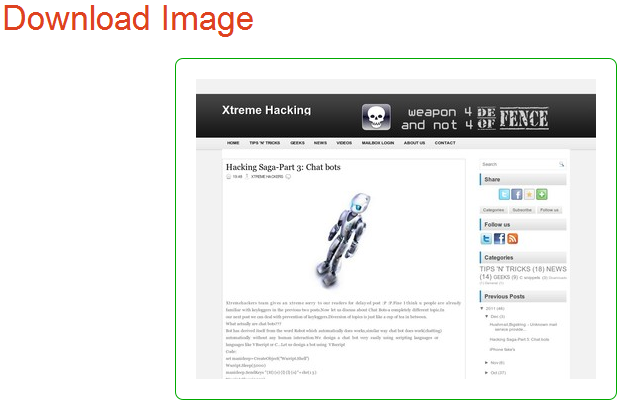
3) you can download it easily it will display your web page as an image like below


 another use of same website:

ocr  service: convert image to text:
with this we can convert image to text

http://www.i2ocr.com/


Tuesday, 27 December 2011

windows calculator bug (error):

how many think that your windows calculator gives you accurate result !! then stop thinking so :P :P

1) open calculator in windows  and type 25 and then click on squareroot the answer is 5


 2) for sqrt of 25 we got 5 now substract 5 from it 


 3) we should get “0” as anwswer but you were getting different answer 


  • Total Pageviews

c

quant